

Beyond Hello World: Forging a Production-Ready RAG System
Dive deep into the essential steps, tools, and considerations for creating a Retrieval-Augmented Generation pipeline that truly shines in a real-world environment.

From Raw Text to Brilliant Bots: Architecting Your First Production RAG System
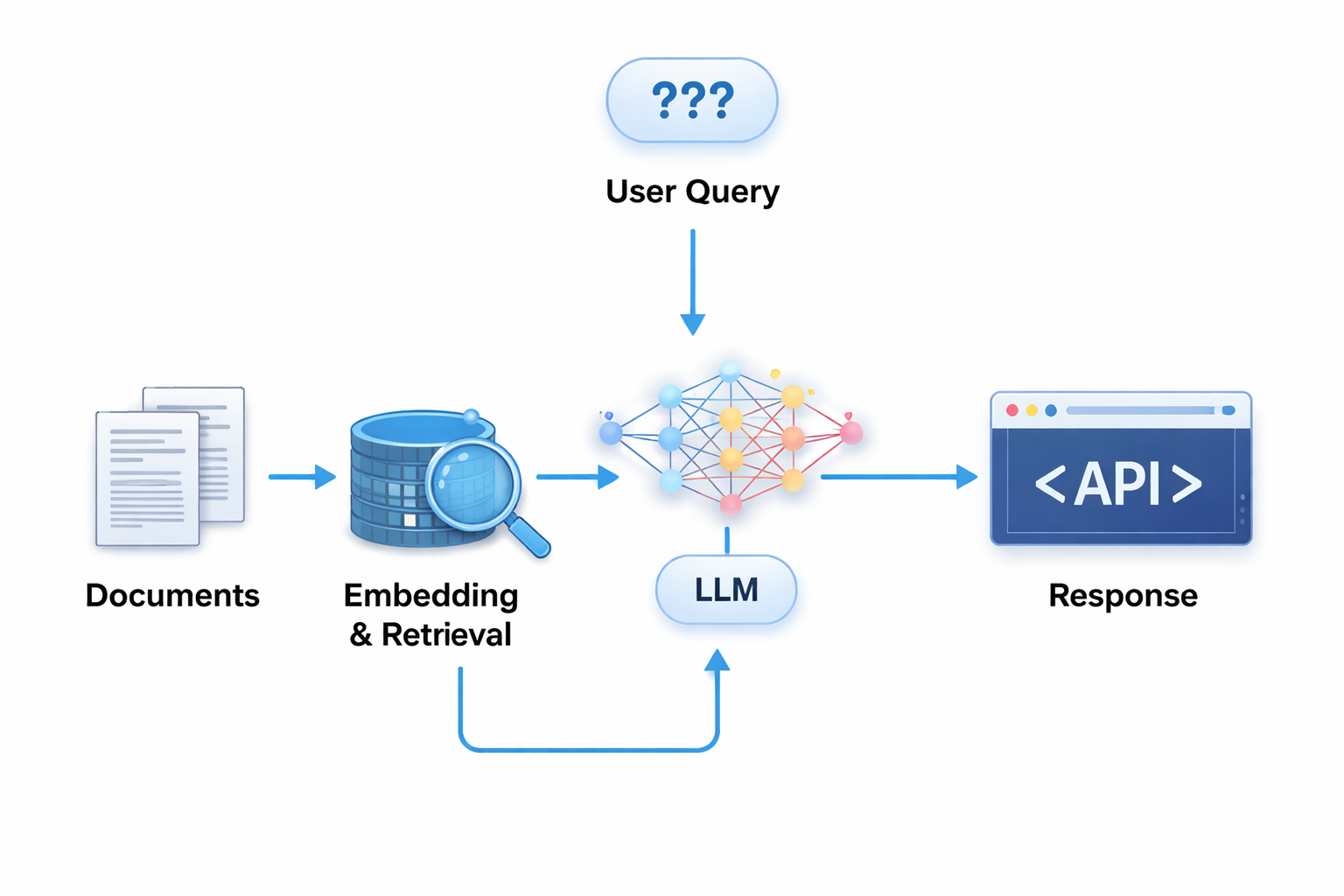
Large Language Models (LLMs) have revolutionized how we interact with information. They can write code, compose poetry, and answer complex questions. But there's a catch: LLMs are limited by the data they were trained on and can sometimes "hallucinate" information that isn't true. Enter Retrieval-Augmented Generation (RAG).
RAG pipelines allow LLMs to access up-to-date, specific, and authoritative information from external knowledge bases, grounding their responses in facts. While many tutorials show you how to build a basic RAG system, making it production-ready—scalable, reliable, observable, and performant—is a different beast. This post will guide you through designing an end-to-end RAG pipeline fit for the real world.
The RAG Superpower: A Quick Recap
At its core, RAG combines two powerful ideas:
- Retrieval: Given a user query, intelligently find the most relevant pieces of information from a vast knowledge base.
- Generation: Feed this retrieved information, along with the user's query, to an LLM, prompting it to generate an informed and accurate answer.
This simple yet powerful synergy allows LLMs to overcome their inherent limitations, providing accurate, context-aware, and up-to-date responses.
Phase 1: Data Ingestion & Preprocessing – The Foundation
Before your RAG system can answer questions, it needs knowledge. This phase is about preparing your raw data.
1. Data Sources
Your knowledge can come from anywhere: internal documents (PDFs, Word files), databases (SQL, NoSQL), websites, APIs, or even real-time streams. Identifying and connecting to these sources is the first step.
2. Chunking: Breaking Down Knowledge
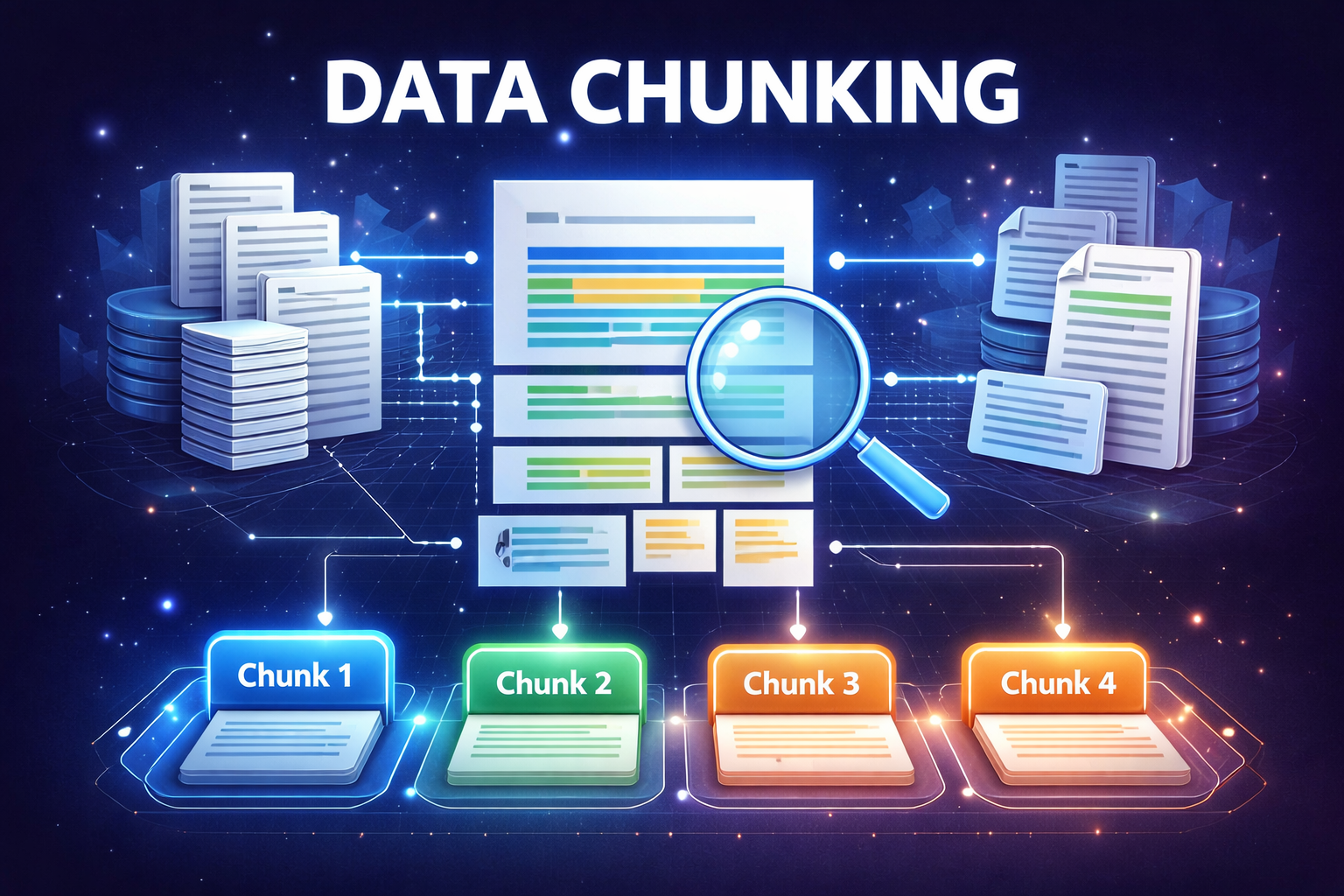
LLMs have context window limits. You can't feed an entire book into a prompt. This is where chunking comes in. We break down large documents into smaller, manageable pieces (chunks) that are semantically coherent.
- Fixed-size chunking: Simple, but might cut sentences in half.
- Recursive chunking: Attempts to preserve semantic boundaries by trying different chunk sizes and delimiters.
- Semantic chunking: Uses embedding models to group related sentences or paragraphs.
Each chunk should be small enough to fit into an LLM's context window but large enough to contain meaningful information.
3. Embedding: The Language of Vectors
Once chunked, each piece of text is converted into a numerical representation called a vector embedding. These embeddings capture the semantic meaning of the text, allowing similar texts to have similar vector representations in a high-dimensional space. An embedding model (e.g., from OpenAI, Cohere, Hugging Face) performs this transformation.
Phase 2: Indexing – Building Your Knowledge Base
After embedding, these vectors need to be stored efficiently for fast retrieval.
1. Vector Databases
Traditional databases aren't optimized for vector similarity search. Vector databases (like Pinecone, Weaviate, Chroma, Qdrant) are purpose-built for this. They allow you to store millions or billions of vector embeddings along with their original text chunks and associated metadata.
2. Metadata: Your Search Filters
Store crucial metadata with each chunk (e.g., document ID, author, date, source URL, security permissions). This metadata is invaluable for filtering search results, ensuring relevance and adherence to access control policies.
3. The Indexing Process
This typically involves:
- Loading data from sources.
- Chunking the data.
- Generating embeddings for each chunk.
- Storing the chunk, its embedding, and metadata in a vector database.
This process often runs periodically (e.g., daily, hourly) to keep the knowledge base up-to-date.
Phase 3: Retrieval – Finding the Needle in the Haystack
When a user asks a question, this phase kicks in.
1. Query Embedding
The user's query is also converted into a vector embedding using the same embedding model used for your knowledge base.
2. Similarity Search
The query's embedding is then used to perform a similarity search against the vector database. The database returns the top k most similar vector embeddings (and their corresponding text chunks) to the query. This is often an approximate nearest neighbor (ANN) search for speed.
3. Re-ranking (Optional but Powerful)
Sometimes, the initial k retrieved chunks might contain some noise. A re-ranking model (a smaller, specialized transformer model) can take these k chunks and the original query, then re-score them to identify the truly most relevant ones. This significantly improves the quality of the context provided to the LLM.
Phase 4: Generation – Crafting the Perfect Answer
With the most relevant context in hand, it's time to generate the answer.
1. Prompt Construction
This is where the magic happens. You construct a prompt for the LLM that typically includes:
- A system prompt: Instructions for the LLM (e.g., "You are a helpful assistant. Answer questions based only on the provided context.").
- The retrieved context: The relevant chunks found in Phase 3.
- The user query: The original question.
# Conceptual Prompt Structure
prompt = f"""
You are an expert assistant designed to answer questions based *only* on the context provided.
If the answer is not in the context, state that you don't know.

Context:
{retrieved_context}

Question: {user_query}
Answer:
"""
2. LLM Interaction
This constructed prompt is sent to your chosen LLM (e.g., GPT-4, Llama 3, Claude 3). The LLM processes the prompt and generates a response based on the provided context.
3. Post-processing
Finally, the LLM's raw output might need some cleaning. This could involve:
- Citation generation: Identifying which sources (chunks) contributed to which part of the answer.
- Formatting: Ensuring the output is well-structured and easy to read.
- Safety checks: Filtering out any potentially harmful or inappropriate content.
Beyond the Sandbox: Production-Ready Considerations
Building a demo is one thing; deploying a reliable RAG system is another. Here are critical factors for production:
1. Scalability
- Vector Database: Choose a vector DB that can handle your expected data volume and query QPS (queries per second). Consider sharding, replication, and cloud-managed services.
- Embedding Model: Ensure your embedding model API can handle the load for both indexing and retrieval.
- LLM Provider: Plan for LLM API rate limits and potential latency. Implement retry mechanisms.
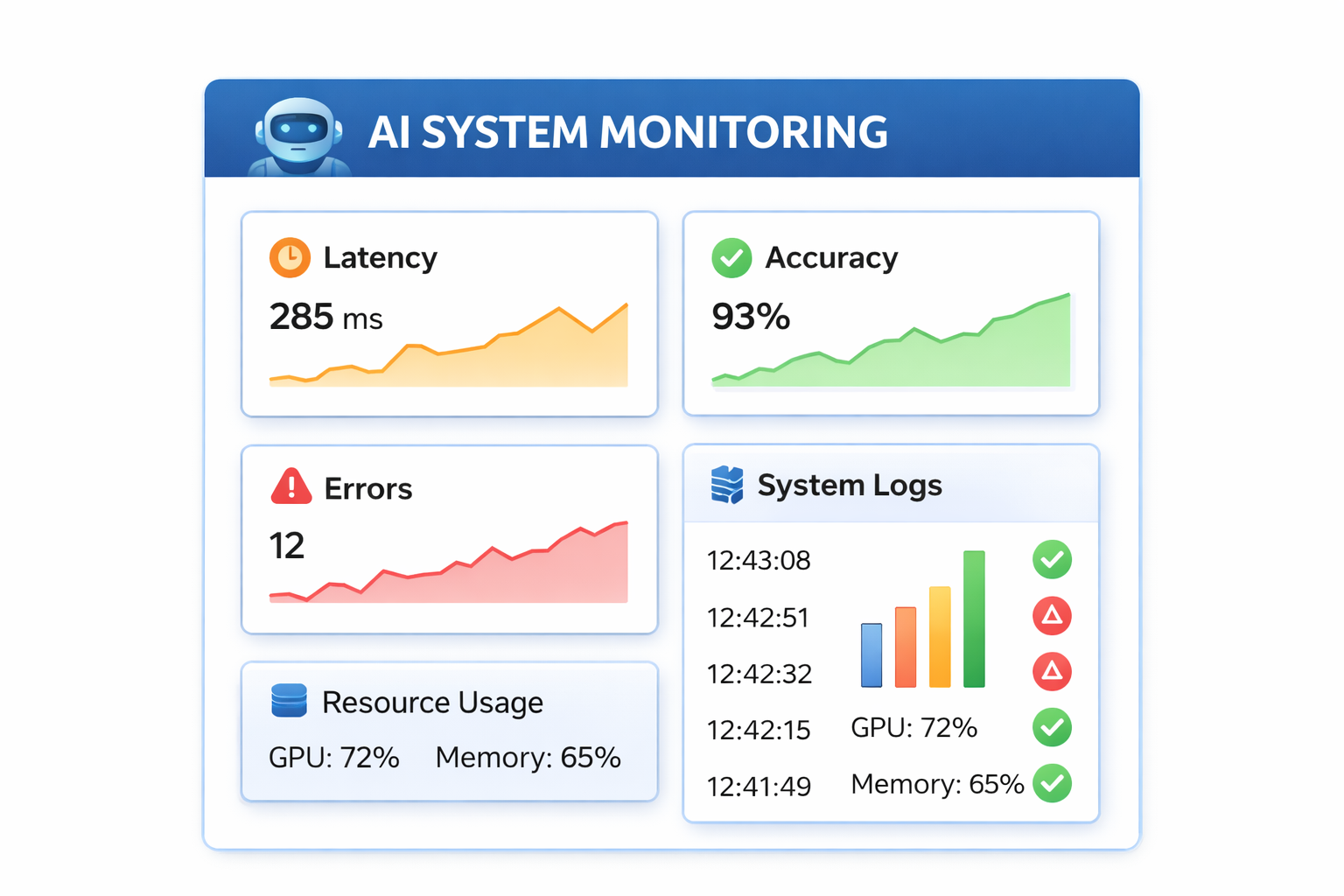
2. Observability & Monitoring
Track key metrics:
- Latency: How long does retrieval take? How long does generation take?
- Success Rate: Percentage of queries successfully answered.
- Relevance Metrics: How often are the retrieved chunks truly relevant?
- Hallucination Rate: How often does the LLM generate ungrounded information?
- Token Usage: Monitor LLM costs.
Use tools like Prometheus, Grafana, Datadog, or custom logging to gain insights.
3. Caching
For frequently asked questions or common query patterns, implement caching at various stages:
- Query Embedding Cache: Store embeddings for common queries.
- Retrieval Cache: Store retrieved chunks for identical queries.
- Generation Cache: Store full LLM responses for exact query-context combinations.
Caching significantly reduces latency and API costs.
4. Evaluation
How do you know your RAG system is good? Establish clear evaluation metrics:
- Context Relevance: Are the retrieved chunks actually helpful?
- Faithfulness: Does the LLM's answer stick to the provided context?
- Answer Relevance: Does the LLM's answer address the user's question directly?
- Answer Coherence: Is the answer well-written and easy to understand?
Automated evaluation tools (e.g., RAGAS, LlamaIndex's evaluation modules) and human-in-the-loop feedback are crucial.
5. Security & Data Governance
- Access Control: Ensure users only retrieve information they are authorized to see. Implement filtering based on metadata.
- Data Encryption: Encrypt data at rest and in transit.
- PII Handling: Anonymize or redact sensitive information before ingestion or ensure your pipeline adheres to data privacy regulations.
6. Version Control & Experimentation
- Data Versioning: Keep track of different versions of your knowledge base.
- Embedding Model Versioning: When you update your embedding model, you'll likely need to re-embed your entire knowledge base.
- Experimentation Framework: Easily test different chunking strategies, embedding models, retrieval parameters, and LLMs.
Conclusion
Building a production-ready RAG pipeline is a journey that involves careful consideration of data, infrastructure, and operational practices. It's about moving beyond simple demos to create robust, intelligent systems that reliably deliver accurate and relevant information. By focusing on scalability, observability, evaluation, and security from the outset, you can build RAG applications that truly empower your users and transform how they interact with information. The world of RAG is rapidly evolving, so stay curious, keep experimenting, and happy building!


